
CoSchedule Review 2026: Marketing Calendar and Social Scheduling
CoSchedule's free plan, Starter, Professional and Suite, the X profile and seat add-ons, and what a solo marketer and a three-person team pay against Buffer, Later, Loomly and SocialPilot.

CoSchedule is worth it in 2026 for a one-person marketing team that plans campaigns on a calendar and wants social publishing in the same place: Starter costs $29 a month billed annually. Professional costs $49 a month billed annually for two users, per CoSchedule's pricing page read on November 10, 2026.
For pure social scheduling it is not the cheapest: a solo user pays less on Buffer or SocialPilot, and a three-person team pays $936 a year on Professional against $588 on Loomly Starter, by our arithmetic. Buy CoSchedule for the calendar and campaign planning; buy Buffer, Loomly or SocialPilot if you only need posts to go out on time.
Key factsBest for: Solo marketers and small agencies who plan campaigns on a…
- A marketing calendar with social scheduling, inbox, analytics and AI drafting built in.
- Free plan: CoSchedule's free plan schedules up to 15 posts at a time on one social profile.
- Paid plans: Starter and Professional are self-serve with a 14-day trial; Suite is quoted after a demo.
- X add-on: X/Twitter profiles are not part of any base plan and are billed separately per profile.
- MarketingShot data: The median cheapest paid plan across 92 priced social media management tools on Toolradar is $27 a month, November 10, 2026.
Pros
- Moving a campaign date moves every linked post.
- Unlimited AI Social and Campaign Assistant use on every paid plan.
- ReQueue reshares evergreen posts to fill gaps automatically.
Cons
- X profiles cost $16 a month each on top of any plan.
- Starter allows one user and Professional caps at three.
- Suite needs a demo and has no full list price.
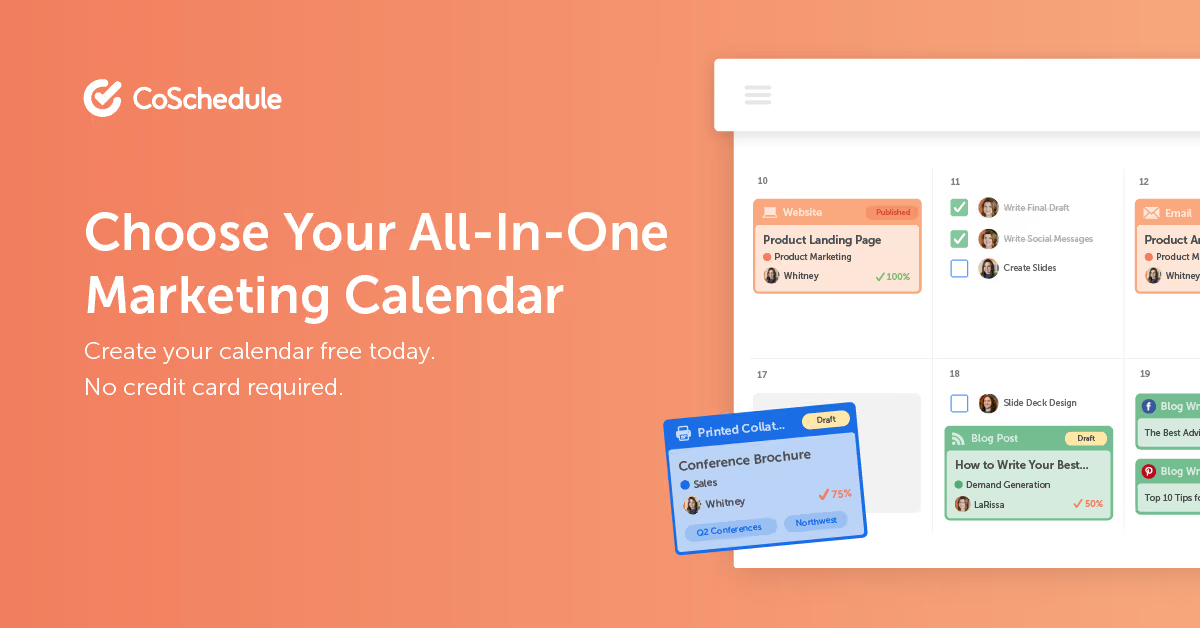
CoSchedule started as a marketing calendar and still sells itself that way: its pricing page calls it social media management software built on the best calendar. That framing is the reason to buy it and the reason it costs more than a plain scheduler. You get drag-and-drop campaigns, where moving a launch date moves every linked post, plus AI writing tools and a social inbox, all inside one calendar view.
MarketingShot data: Toolradar, the software directory we run, tracks 185 social media management tools, and the median cheapest paid plan across the 92 that publish a price is $27 a month, as of November 10, 2026 (Toolradar social media management ranking). CoSchedule Starter on annual billing sits just above that median, so its entry price is ordinary; the add-ons and seat limits decide whether it stays that way. This newsletter reaches 38,000+ marketers, and price changes like these run in it.
Methodology: on November 10, 2026 we read CoSchedule's pricing page, its full feature comparison table and its pricing FAQ, then the pricing pages of Buffer, Loomly and SocialPilot. Yearly and team totals are our arithmetic on printed prices. This review rests on published plan terms; we did not run campaigns in the product.
What is CoSchedule?
CoSchedule is a marketing calendar with social scheduling, analytics, a social inbox and AI writing tools built in.
Every paid plan publishes to 11 networks, including Facebook, Instagram posts, Reels and Stories, LinkedIn, Pinterest, TikTok, Threads, Bluesky, Mastodon, Google Business Profile and YouTube Shorts, with unlimited scheduled messages on connected profiles.
The calendar is what separates it from Buffer-style tools. Campaigns group every post for a launch, color labels split work by team or product, and ReQueue reshares evergreen posts to fill gaps automatically.
The AI Social Assistant and AI Campaign Assistant are unlimited on every paid plan and can draft a whole campaign, images included, straight onto the calendar. A prompt library of 1600+ templates comes with all three paid tiers.
Suite turns it into a light project tool: roles and permissions, custom fields, project templates and reporting, unlimited sub-calendars, AI brand voice profiles and SSO. For the wider field, our best social media management tools ranking places it among Hootsuite, Sprout Social and Buffer.
How CoSchedule works
You connect social profiles, then drag posts and campaigns onto the calendar, write with the AI assistant, and let CoSchedule publish at each network's best time. Bulk import adds up to 365 messages at once, and Social Sync pulls posts you published natively back into the calendar so the record stays complete.
Seats and profiles are where the bill grows. Starter is for one user, full stop, with 3 social profiles. Professional includes 2 users and 5 profiles and caps the plan at 3 users; the third seat is a paid add-on. Extra profiles cost $5 a month each on both plans.
X/Twitter is never in the base plan: each X profile costs $16 a month on top. A team larger than three has to move to Suite, which is sold through a demo.
The 14-day trial on Starter and Professional asks for a card but charges nothing until the trial ends; cancel before then and you can drop to the free plan. Nonprofits get 30% off every paid plan, and annual billing is cheaper than monthly on both self-serve tiers.
CoSchedule key features
CoSchedule pricing
CoSchedule's pricing page, read on November 10, 2026, shows the two self-serve plans at the annual prices in the plan table below, and at $39 and $59 a month on monthly billing. Annual billing saves $120 a year on either plan, by our arithmetic. Suite has no list price beyond its starting point of $69 a month.
We priced two buyers on annual billing, each on the cheapest plan that fits: a solo marketer with 3 profiles, and a team of three with 5 profiles and no X account. Rivals were read the same day. Buffer charges $60 per channel a year on Essentials for one user and $120 on Team with unlimited team members, Later $18.75 a month on Starter for one user and $37.50 on Growth for 2 users plus $3.75 per extra user, billed yearly, Loomly Starter $588 a year for 3 users and 12 accounts, and SocialPilot $25.50 a month for one user on Essentials or $42.50 for 3 users on Standard, billed annually.
| Plan | Solo, 3 profiles | Team of 3, 5 profiles |
|---|---|---|
| CoSchedule Starter / Professional | $348 (Starter) | $936 (Professional + 1 seat) |
| Buffer Essentials / Team | $180 (Essentials) | $600 (Team) |
| Later Starter / Growth | $225 (Starter) | $495 (Growth + 1 user) |
| Loomly Starter | $588 | $588 |
| SocialPilot Essentials / Standard | $306 (Essentials) | $510 (Standard) |
Solo, CoSchedule sits mid-pack; for a team of three it is the most expensive of the five, because the third seat adds $348 a year. What the extra money buys is the campaign calendar, not more publishing. X changes the math again: one X profile adds $192 a year to any CoSchedule plan, by our arithmetic, so a solo marketer who posts on X pays $540 a year on Starter.
| Plan | Price | Best for |
|---|---|---|
| CoSchedule Free | $0 | Schedule up to 15 posts at a time on 1 social profile |
| CoSchedule Starter | $29/mo billed annually ($39 monthly) | 1 user, 3 profiles, unlimited scheduling, ReQueue, Facebook and Instagram inbox, AI assistants |
| CoSchedule Professional | $49/mo billed annually ($59 monthly) | 2 users (max 3), 5 profiles, 9-network inbox, approvals, client calendars, white-label reports |
| CoSchedule Suite | From $69/mo, via demo | Custom seats and profiles, project and campaign planning, permissions, SSO, brand voice AI |
| CoSchedule add-ons | $29/mo per seat; $5/mo per profile; $16/mo per X profile | Extra seat on Professional only; extra profiles on Starter and Professional; X on any plan |
| Buffer Team | $10/channel/mo billed yearly | Unlimited scheduled posts and team members, approvals; priced per connected channel |
| Later Growth | $37.50/mo billed yearly | 2 social sets with 16 profiles, 2 users, social inbox, approvals, 180 posts per profile |
| Loomly Starter | $49/mo billed yearly ($65 monthly) | 12 social accounts, 3 users, unlimited calendars, approval workflows, advanced analytics |
| SocialPilot Standard | $42.50/mo billed annually ($50 monthly) | 15 social accounts, 3 users, social inbox, analytics and manager approval |
CoSchedule pros and cons
What we like
- Moving a campaign date moves every linked post.
- Unlimited AI Social and Campaign Assistant use on every paid plan.
- ReQueue reshares evergreen posts to fill gaps automatically.
What could be better
- X profiles cost $16 a month each on top of any plan.
- Starter allows one user and Professional caps at three.
- Suite needs a demo and has no full list price.
Who CoSchedule is for
CoSchedule fits a one-person marketing department that plans launches, blog promotion and email on a calendar and wants social posts to live in the same plan. Starter covers that job with unlimited AI drafting and ReQueue, and costs less than Loomly for a single user. Agencies with up to three staff also get white-labeled client calendars and reports on Professional.
Skip it in three cases. Teams of three or more who only schedule posts pay less on Loomly or SocialPilot. Brands that post heavily on X should price the per-profile X add-on first. And a team of four or more is pushed to Suite, which has no list price beyond its starting point, so budget-led buyers should compare quotes. Our scheduler pricing comparison lines up more options, and CoSchedule's own profile is on Toolradar.
Best CoSchedule alternatives
If CoSchedule is not the right fit, these are the closest options.
| Tool | Best for | Starts at | |
|---|---|---|---|
| CoSchedule | Solo marketers and small agencies who plan campaigns on a calendar and publish social from it. | Free plan · Starter $29/mo on the annual plan · Professional $49/mo on | Visit → |
| Buffer | Small teams that want simple scheduling priced per channel with unlimited teammates. | Free plan · Essentials $5/mo on the annual plan · Team $10/mo on the a | Visit → |
| Later | Visual brands on Instagram and TikTok that want a link-in-bio page and best-time posting. | Starter $18.75/mo · Growth $37.50/mo · Scale $82.50/mo | Visit → |
| Loomly | Teams of up to three who need approvals across many social accounts on one budget line. | Starter $65/mo · Beyond $332/mo · custom-priced plans too | Visit → |
| SocialPilot | Budget-minded small teams that need many accounts and a shared inbox. | Essentials $25.50/mo on the annual plan · Standard $42.50/mo on the an | Visit → |


The bottom line
CoSchedule is worth it as a marketing calendar for a solo marketer or a small agency, and Starter on annual billing is a fair price for a calendar that plans whole campaigns, though Buffer and SocialPilot schedule posts for less. It stops being good value once a third person needs a seat or your brand lives on X, because both add-ons stack on a plan that rivals sell flat. Teams that only need scheduling should start with Later, Loomly, SocialPilot or Buffer.
Read next: our Buffer review and Buffer's plans priced, the Hootsuite review, the head-to-head Hootsuite vs Buffer, our Later review and the free social media schedulers list. Toolradar profiles: Buffer, Loomly and SocialPilot.
Prices read on November 10, 2026 on CoSchedule, Buffer, Later, Loomly and SocialPilot. Yearly and team totals are our arithmetic. MarketingShot tracks marketing tool prices in its daily newsletter; subscribe free.
Cite this: MarketingShot, "CoSchedule Review 2026: Marketing Calendar and Social Scheduling", November 2026.
Frequently asked questions
Is CoSchedule worth it as a marketing calendar in 2026?
How much does CoSchedule cost?
Does CoSchedule have a free plan?
Why does X cost extra on CoSchedule?
How many users can CoSchedule Professional have?
Sources
Prices and plan details come from each vendor's own pricing page, re-checked by the Toolradar pricing tracker.
- Buffer pricingchecked Sep 2026
- Later pricingchecked Sep 2026
Some offers on this page may be paid placements or contain affiliate links.
Get the MarketingShot brief
Free daily newsletter, read in 5 minutes.
Subscribe free