
Vista Social Review
An all-in-one social media tool for agencies and creators running many accounts, with strong reporting and AI at a per-profile price.

Vista Social is one of the best values in serious social media management right now, especially if you run a lot of accounts. Plans start at $99/mo for 15 profiles and 2 users, and the top self-serve tier is $449/mo for 70 profiles and 8 users, with 20% off on annual billing. The draw is how much you get per dollar: publishing, a trainable AI assistant, review management, listening and genuinely good reporting in one place. The main catch is that some headline features are paid add-ons, with X/Twitter posting at $29/mo, listening at $75/mo and advocacy at $199/mo, so the sticker price is not always the final one. If you want the polished enterprise standard instead, Sprout Social is the obvious step up in price.
Key factsBest for: Agencies and freelancers managing many social profiles on a…
- The best-value all-in-one social suite if you run a lot of accounts, priced by profile instead of by seat.
- Founded: 2021
- Free plan: No, 14-day trial
- Alternatives covered: Sprout Social, Hootsuite, Sendible, Agorapulse, SocialBee
Pros
- Far cheaper per profile than Sprout Social or Hootsuite
- Bundles review management, listening and a link-in-bio that most rivals charge extra for
- Clean, white-label reporting agencies can hand straight to clients
Cons
- Key features like X posting, listening and advocacy are paid add-ons
- Mobile app and some network syncs trail the polish of Sprout Social
- Deeper settings carry a learning curve
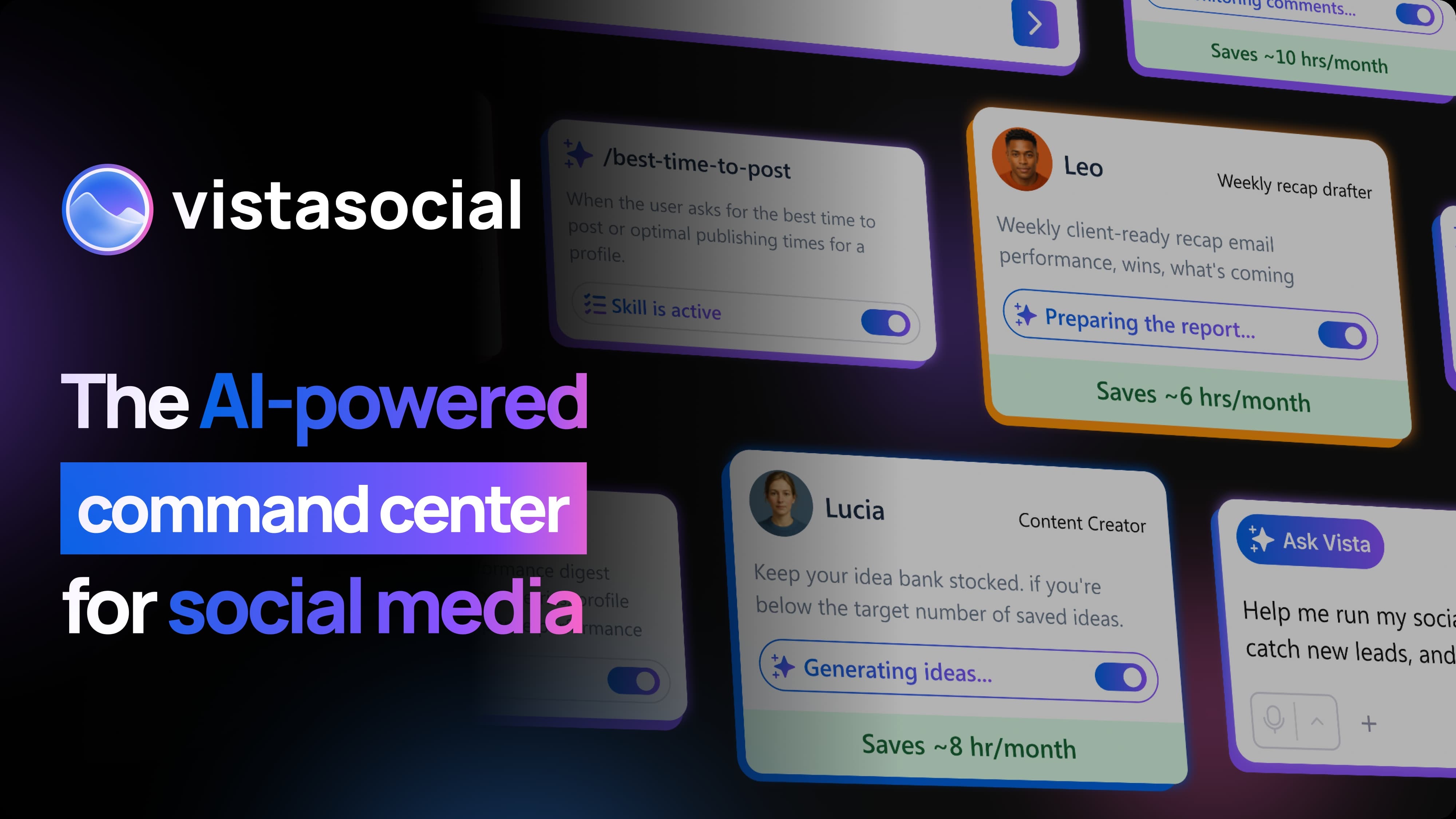
Vista Social launched in 2021 as a challenger to the big social media management suites, and it has quietly become one of the tools agencies recommend to each other.
The pitch is simple: give small teams and agencies the same publishing, analytics and engagement stack that Sprout Social and Hootsuite sell, at a fraction of the price, and charge by the number of social profiles rather than by the seat.
For anyone managing ten, thirty or seventy accounts, that pricing model is the whole story.
The real question is not whether Vista Social is cheap, it clearly is, but whether the product holds up once you move real client work onto it. Can the reporting stand in for a $200-a-month tool? Are the AI features useful or filler?
What breaks when you scale to dozens of profiles and multiple approvers? This review is grounded in the current feature set and pricing, and it focuses on the trade-offs that actually matter when you are choosing between Vista Social and the incumbents.
I will be specific about where it wins and where the add-on pricing bites.
What is Vista Social?
Vista Social is an all-in-one social media management platform aimed at agencies, brands and freelancers. It covers the full workflow in one dashboard: planning and scheduling posts, a unified engagement inbox, analytics and reporting, social listening, and review management for local business profiles.
Its core job is to be the single place where a team plans, publishes and measures social content across every network they manage.
On the publishing side it connects to Facebook, Instagram, TikTok, LinkedIn, YouTube, Threads, Bluesky, Reddit, Snapchat and X, plus Google Business and Pinterest.
Beyond scheduling, the platform includes an AI Assistant tied to what it calls AI Knowledge, so the AI can be trained on your brand voice, a link-in-bio builder called Vista Page, DM Automations, employee advocacy, and multi-stage approval workflows for client sign-off.
Review management pulls in reviews from sources like Google and lets you respond in the same place you handle comments and messages.
Bundling review management and listening into a mid-priced tool is unusual, since rivals often sell those as premium tiers. Vista Social is a bootstrapped, independent company rather than part of a larger marketing suite, which shows in how fast it ships new network integrations and features.
How Vista Social works
Getting started is quick. You connect social profiles through each network's official login, drop posts onto a visual calendar, and the composer previews how a post will look on each platform before it goes out.
The calendar and post composer are the parts you live in day to day, and both are clean and fast. You can build content queues, set posting schedules per profile, and use the AI Assistant to draft captions or reshape a post for a different network.
For agencies, the workflow centers on profile groups and approvals. You organize client accounts into workspaces, route drafts through multi-stage approval before anything publishes, and hand clients a login or a shareable report.
The unified inbox pulls comments, mentions, DMs and reviews into one stream so you are not bouncing between native apps. Reporting is a real strength: the reports look professional, export cleanly, and on higher tiers you can build custom reports and white label them.
The rough edges are the ones you would expect from a fast-moving independent tool, including occasional network sync hiccups, a learning curve on the deeper settings, and a mobile app that trails the web experience. None of it is a dealbreaker, but the polish sits a notch below Sprout Social.
Vista Social key features
Vista Social pricing
Vista Social, Sprout Social, Hootsuite, Sendible, Agorapulse, and SocialBee all publish list prices. Only the top enterprise tiers are custom quotes. The cheapest entries are Sendible Core and SocialBee Bootstrap at $29/mo, while Vista Social starts at $99/mo and annual billing saves 20%.
Sprout Social is where seat pricing jumps: Essentials is $79 per seat, the Standard seat with the shared inbox is $199/seat/mo billed annually, and Professional and Advanced run $299 and $399. Vista Social's base price also moves once add-ons are included, and a listening-heavy agency on Advanced pays about $274/mo rather than the $199 headline.
None of these six tools keeps a permanent free plan: Vista Social and Sendible offer 14-day trials with no card, and Sprout Social and Agorapulse offer 30 days.
| Plan | Price | Best for |
|---|---|---|
| Vista Social Professional | $99/mo, or $950/yr | 15 profiles, 2 users, 1,000 AI credits |
| Vista Social Advanced | $199/mo, or $1,910/yr | 30 profiles, 4 users, 2,000 AI credits, white label |
| Vista Social Scale | $449/mo, or $4,310/yr | 70 profiles, 8 users, 3,500 AI credits, white label |
| Vista Social Enterprise | Custom quote | Unlimited profiles, users and AI credits, dedicated account manager |
| Vista Social X add-on | $29/mo | X/Twitter posting, paid on top of the plan |
| Vista Social Listening | $75/mo | Social listening add-on |
| Vista Social Advocacy | $199/mo | Employee advocacy add-on |
| Sprout Social Standard | $199/seat/mo, billed annually | Adds the shared inbox; Essentials at $79 is the entry seat |
| Sprout Social Professional | $299/seat/mo, billed annually | Lifts the five-profile cap |
| Sprout Social Advanced | $399/seat/mo, billed annually | Sentiment and helpdesk integrations |
| Hootsuite Standard | $99/user/mo, billed annually | 10 social accounts, 14-day trial |
| Hootsuite Professional and Advanced | $199 and $399/user/mo, billed annually | Unlimited accounts, then approvals on Advanced |
| Sendible Core | $29/mo | 6 profiles, 1 workspace, unlimited users |
| Sendible Plus | $99/mo | 18 profiles, 3 workspaces, unlimited users |
| Sendible Premium | $199/mo | 42 profiles, 7 workspaces, branded reports |
| Sendible Elite | $399/mo | 90 profiles, 15 workspaces |
| Agorapulse Standard | $79/user/mo, billed annually | Paid entry tier, 30-day free trial with no card |
| Agorapulse Professional | $119/user/mo, billed annually | Mid per-user tier |
| Agorapulse Advanced | $149/user/mo, billed annually | Top listed per-user tier |
| SocialBee Bootstrap | $29/mo (annual is cheaper) | Entry plan, by profiles and workspaces |
| SocialBee Accelerate | $49/mo (annual is cheaper) | Mid plan, by profiles and workspaces |
| SocialBee Pro | $99/mo (annual is cheaper) | Top listed plan, by profiles and workspaces |
Vista Social pros and cons
What we like
- Far cheaper per profile than Sprout Social or Hootsuite
- Bundles review management, listening and a link-in-bio that most rivals charge extra for
- Clean, white-label reporting agencies can hand straight to clients
What could be better
- Key features like X posting, listening and advocacy are paid add-ons
- Mobile app and some network syncs trail the polish of Sprout Social
- Deeper settings carry a learning curve
Who Vista Social is for
Vista Social is a great fit for agencies and freelancers who manage a lot of client accounts on a tight software budget. If you are running 20, 40 or 70 profiles, the per-profile pricing, white-label reporting, client approval workflows and bundled review management add up to a stack that would cost two or three times as much on Sprout Social.
Small in-house social teams that want professional reporting without an enterprise contract will also feel at home.
It is a weaker fit at the extremes. A solo creator posting to two or three accounts is paying for capacity they will never use, and is better served by Buffer or a free plan elsewhere.
Large enterprises that need airtight governance, deep social listening as a core function, and rock-solid vendor stability will find the add-on pricing for listening and the occasional rough edge frustrating, and should weigh Sprout Social or Agorapulse instead.
And if X/Twitter is central to your work, factor in that posting to it is a paid add-on rather than an included network.
Best Vista Social alternatives
If Vista Social is not the right fit, these are the closest options.
| Tool | Best for | Starts at | |
|---|---|---|---|
| Vista Social | Agencies and freelancers managing many social profiles on a budget | From $99/mo (Professional, 20% off annual) | Visit → |
| Sprout Social | Enterprises and large teams that want the polished market standard | From $79/seat/mo (Essentials, billed annually) | Visit → |
| Hootsuite | Teams that want a well-known incumbent with broad network support | From $99/user/mo (Standard, billed annually, 10 accounts) | Visit → |
| Sendible | Agencies wanting affordable, profile-priced management with white label | From $29/mo (Core, 6 profiles) | Visit → |
| Agorapulse | Teams that prioritize a strong social inbox and ROI reporting | From $79/user/mo (Standard, billed annually) | Visit → |
| SocialBee | Solopreneurs and small businesses focused on content categories and recycling | From $29/mo (Bootstrap, monthly) | Visit → |


The bottom line
Vista Social is the tool I would recommend to most agencies and small teams tired of paying enterprise prices for social media management.
Dollar for dollar, few tools bundle this much (publishing, reporting, review management, a link-in-bio and a trainable AI) at $99 to $449 a month. The per-profile pricing is the reason to choose it: if you manage many accounts, it is among the cheapest capable options, and the reporting is good enough to put in front of clients.
Sendible is the one to price against, since it also bills by profile and includes unlimited users.
Pick something else in two cases.
If you are a large enterprise that needs deep listening, ironclad governance and white-glove support, Sprout Social or Agorapulse justify their higher prices. And if you are a solo creator with a handful of accounts, Vista Social's capacity is wasted on you, so Buffer or SocialBee will cost less for the same result.
For everyone in the crowded middle, especially agencies, Vista Social is a value pick worth trialing first.
Frequently asked questions
How much does Vista Social cost?
Is Vista Social worth it?
Does Vista Social have a free trial or free plan?
What are the best Vista Social alternatives?
Which social networks does Vista Social support?
Sources
Prices and plan details come from each vendor's own pricing page, re-checked by the Toolradar pricing tracker.
- Vista Social pricingchecked Sep 2026
- Sprout Social pricingchecked Sep 2026
- Hootsuite pricingchecked Sep 2026
- Sendible pricingchecked Sep 2026
- Agorapulse pricingchecked Sep 2026
- SocialBee pricingchecked Sep 2026
Some offers on this page may be paid placements or contain affiliate links.
Get the MarketingShot brief
Free daily newsletter, read in 5 minutes.
Subscribe free